
Flash.
Google just moved Pro behind a paywall, here’s the 1 model to put in your app’s brain for $0.

If you built anything on Google’s free tier in the last year, something changed under your feet and nobody sent a memo.
In the spring, Google quietly moved its Pro models behind billing.
The free tier in Google AI Studio now covers the Flash and Flash-Lite models only.
If your app’s “brain” was calling a Pro model on a free key, it’s the kind of change that breaks quietly, and then you get a bill, or a wall of errors, at the worst possible moment.
Then in May, at Google I/O, they shipped Gemini 3.5 Flash.
And here’s the twist that makes this whole thing okay: the new Flash is so good it beats the old Pro on a lot of real work.
So the move isn’t “Google took away your good model.”
It’s “the cheap model got good enough that you don’t need the expensive one.”
This article is the practical version of that.
Which exact model to put in your app right now, what the free limits really are, and how to swap it in without breaking anything.
1. The two words that decide your whole bill: Pro and Flash.
Every Gemini model is one of two flavors.
Pro = the big, deep-thinking brain. More expensive. Now paid-only on the API.
Flash = the fast, cheap brain. Still free (with limits). Now shockingly capable.
For most things a non-technical founder builds, summaries, chat features, classifying things, pulling data out of messy text, answering questions about your own content.
Flash is the correct answer. Not the compromise. The answer.
People reach for Pro the way they reach for the large coffee: out of habit, “to be safe.”
Then they pay Pro prices to do Flash-sized jobs.
The new Gemini 3.5 Flash launched in May at roughly $1.50 per million words in and $9 per million words-out, and on coding benchmarks it actually edged out the previous Pro model.
It carries a huge context window (over a million tokens), so it can read a whole big document in one go.
Translation: the cheap one got smart. Stop overpaying.
2. What “free” actually means now (read this before you build).
“Free tier” is doing a lot of quiet work in that sentence.
Here’s the real shape of it.
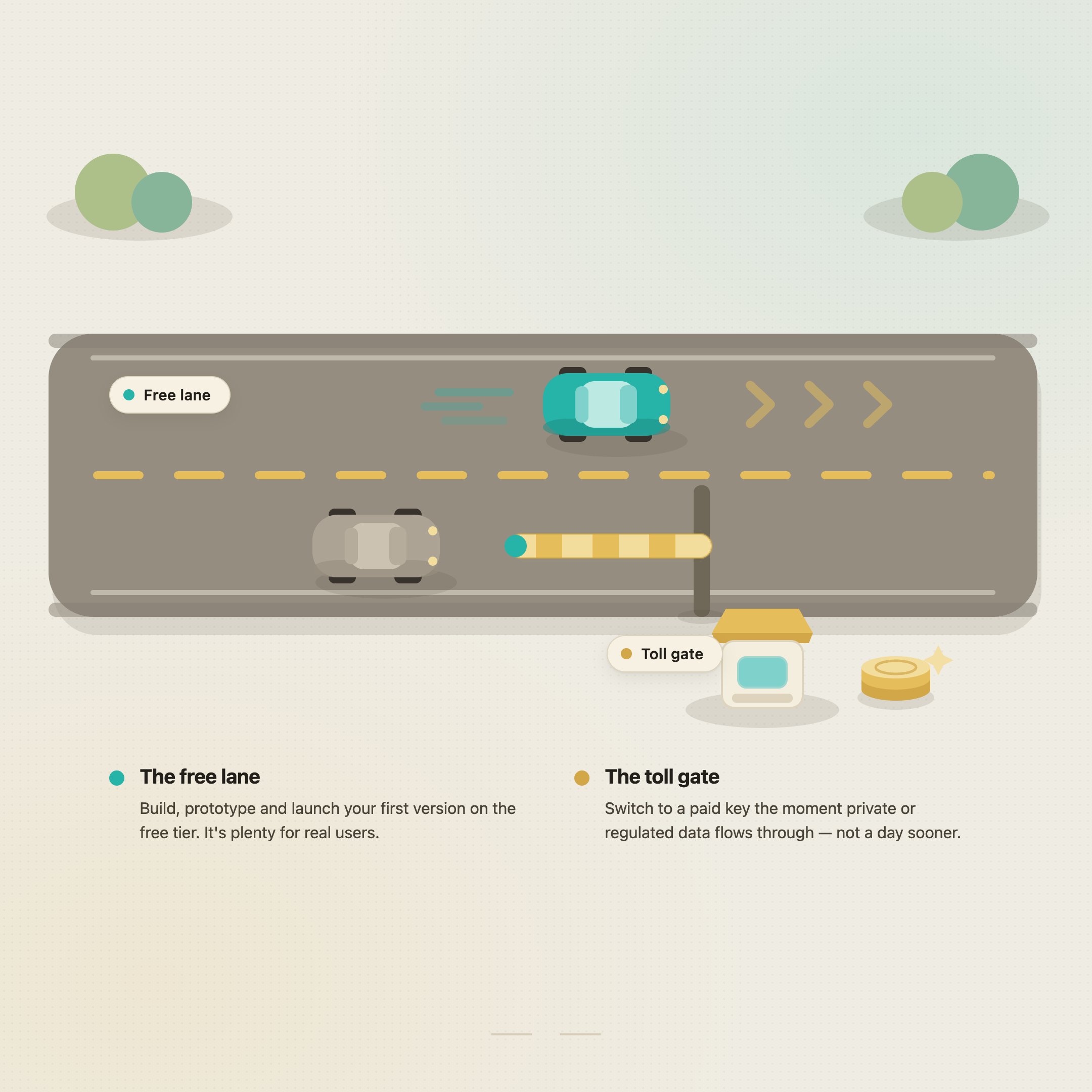
The free tier in Google AI Studio covers Flash and Flash-Lite only. Pro is paid.
No credit card required to start.
Free Flash usage runs in the neighborhood of ~1,500 requests per day… plenty for prototyping, a class project, a small app, or your first users.
The catch worth knowing: free-tier traffic gets logged by Google to improve their products. Paid keys are not logged.
That last point is the one that actually matters for a real business.
Free is perfect while you’re building and testing.
But the day your app handles anything you wouldn’t want logged, customer data, private documents, anything regulated, that’s the day you move to a paid key.
Not because you ran out of free requests.
Because of privacy.
So the honest rule: build and launch your first version on free Flash.
Switch to a paid key the moment real private data flows through it.
3. Which exact model to pick (just tell me).
Fine.
Here’s the cheat sheet, current as of June 2026.
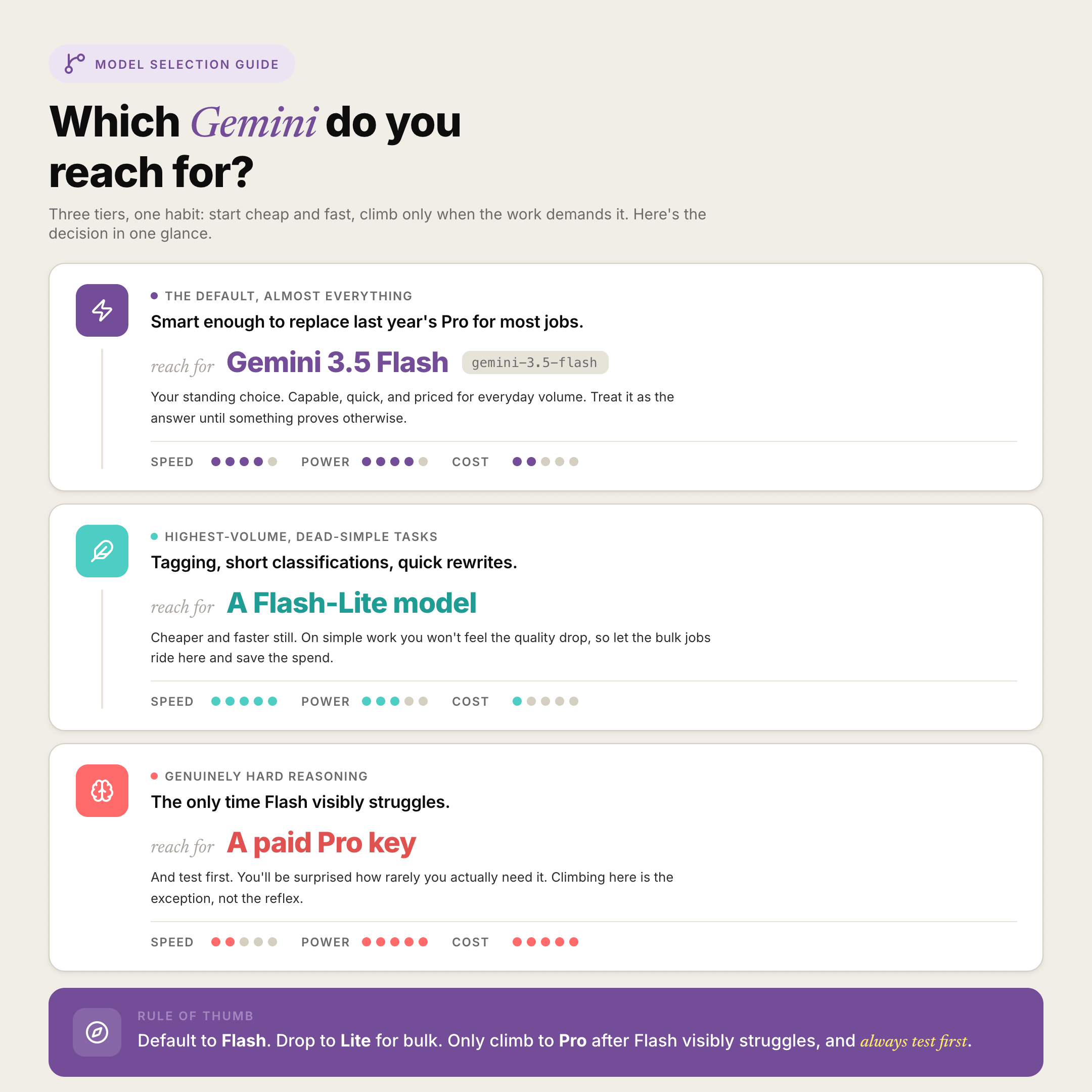
Default for almost everything → Gemini 3.5 Flash (model id
gemini-3.5-flash). Smart enough to replace last year’s Pro for most jobs.Highest-volume, dead-simple tasks (tagging, short classifications, quick rewrites) → a Flash-Lite model. Cheaper and faster still, and you won’t feel the quality drop on simple work.
Genuinely hard reasoning where Flash visibly struggles → that’s the only time you reach for a paid Pro key.
And test first, you’ll be surprised how rarely you need it.
Notice what’s not on this list: starting with Pro “to be safe.”
That habit is what turns a $0 app into a surprise invoice.
Start on Flash.
Earn your way up to Pro only when a real task proves you need it.
4. How to swap the model your app uses (without breaking it).
This is the part people are scared of.
It’s genuinely small.
Somewhere in your app there’s a line that names the model, it’ll say something like a model id in quotes.
Changing which brain your app uses is usually changing that one string.
But don’t go hunting by hand.
Have your AI builder do it safely:
My app calls the Google Gemini API. I want to switch the model
it uses to gemini-3.5-flash (Google's current free-tier Flash model).

1. Find every place in this project where a Gemini model is named.
2. List each one and tell me which file it's in.
3. Change them to gemini-3.5-flash.
4. Tell me if any of them were using a Pro model that is no longer
   on the free tier — those are the ones that would have started
   failing or charging me.
5. Confirm my API key is read from an environment variable (.env),
   not hardcoded.
6. Tell me how to test that each feature still works after the swap.

Don't change anything else. Show me a before/after for each line.
Run it. Test the features it lists. Done.
The most useful line in there is #4, it tells you which features were quietly riding on a now-paid model.
That’s exactly where a surprise bill or a sudden error was about to come from.
If you’ve got a friend running an AI app on Google’s free tier, send them this, they may not know the rules changed.
5. The mistake that wastes free requests.
Here’s where founders burn through their daily limit and think “free tier is too small.”
It’s usually not the limit.
It’s waste.
Three things quietly eat your requests:
Re-asking the same thing. If ten users ask your app the same common question, you don’t need ten model calls.
Cache the answer once and reuse it.
Sending the whole haystack every time. Stuffing a giant document into every single request burns your budget and slows everything down.
Send only the relevant slice.
Using a big model for a small job. A one-word “is this spam, yes or no?” doesn’t need your smartest brain.
Have your AI add a simple cache so repeated questions don’t each cost a request:
Add a simple caching layer to my app's Gemini calls.

1. Before calling the Gemini API, check if I've already answered
   this exact (or near-identical) request recently.
2. If yes, return the saved answer instead of calling the model.
3. If no, call the model, then save the answer for next time.
4. Keep it simple — store cached answers in my existing database
   (Supabase) with a sensible expiry.
5. Explain in plain English how much this will cut my API usage,
   and how to clear the cache if I need fresh answers.
Caching is the single highest-leverage thing you can do to stay inside the free tier longer.
Most apps repeat themselves far more than founders expect.
6. A free bonus most builders forget: the images are free too.
While we’re in the free-Google corner, your app’s pictures can come from here too.
Google’s image model, Nano Banana, is available free inside the Gemini app, and image generation is part of the same ecosystem you’re already in.
App icons, marketing graphics, placeholder images, social posts, you don’t need a separate paid design tool for the first version.
It’s the same principle as Flash: the free option is now good enough that paying is a choice, not a requirement.
Build the whole first version, brain and visuals, for close to nothing.
Pay when something specific earns it.
7. Now you own this.
The whole system, every time you build:
Default to Flash (
gemini-3.5-flash).Pro only when a real task proves you need it.
Start on the free key.
Move to a paid key the moment private data flows through.
Cache repeated calls so the free tier lasts.
Pull your images from the same free ecosystem.
Old way: reach for the biggest model, build on a key you don’t understand, get surprised by a bill or an outage.
This way: cheapest model that does the job, free until privacy says otherwise, waste designed out from the start.
You’re not cutting corners. You’re building exactly the way the people who watch their costs build.
Two ways to take this further, depending on what you need.
If you want to build this alongside other non-technical founders watching their costs the same way… the community is where we wire these up together every week.
→ Join Prompts2Products: the community ($29.99/month)
If you’d rather have a team build the whole thing for you, model, app, and all, my agency Arehsoft does exactly this.
→ Schedule a free consultation call
Both work. Just different timelines and different involvement.
“What should this feature cost?” prompt I run before wiring any model into an app:
Help me pick the cheapest Gemini model that will do this job well.

Here's the feature I'm building:
[describe what the feature does in 2-3 plain sentences]

1. Tell me whether this needs Flash, Flash-Lite, or genuinely
   needs a paid Pro model — and why, in plain English.
2. Estimate roughly how many API requests this might use per day
   at small scale, and whether that fits the free tier.
3. Tell me whether caching would meaningfully cut that usage.
4. Flag whether this feature will handle private user data — and
   if so, remind me to use a paid (unlogged) key, not the free one.

Default to the cheapest option that still does the job well.
Don't recommend Pro unless this clearly needs it.
I don’t recommend tools I’m not actually using.
I share what I build with, what I test, and what works for founders who don’t write code, especially the free stuff, because most of you don’t have a dev budget.
People read this because someone they trusted sent it to them.
If this one helped you keep your costs near zero, be that person for someone else.
If someone sent you this, you can subscribe here: