
Exposed.
The 6-step security review that stops your vibe-coded app from leaking 1.5 million users like Moltbook did.

In February, a founder built an entire social app without writing a single line of code himself.
He said so publicly. Proudly.
Then security researchers found the database wide open.
Reports put it at around 1.5 million authentication tokens and tens of thousands of email addresses, readable by anyone who knew where to look.
The app was called Moltbook.
The breach wasn’t a clever hack.
It was a setting nobody turned on.
I’m telling you this not to scare you off vibe coding, I build this way every day.
I’m telling you because the exact mistake that took Moltbook down takes about fifteen minutes to prevent.
And almost nobody does it.
This is that fifteen minutes.
The minimum security review for any app you’re about to put on a real URL.
1. Why your AI builds things that leak.
Here’s the uncomfortable truth about the tools we love.
Your AI is optimizing to make the app run. It is not optimizing to make the app safe.
So it does the fastest thing.
It hardcodes your secret keys right into the code.
It sets your database to “anyone can read and write.”
It ships.
And it all works, which is exactly why you never notice.
Research on AI-generated code keeps landing in the same scary range: somewhere between 40% and 62% of it ships with a security flaw.
One scan of more than 1,600 apps built on a popular vibe-coding platform found roughly one in ten exposed real user data, names, emails, even financial records, because of one missing setting.
The setting has a name.
We’ll get to it.
The point for now: the bug isn’t you.
It’s that AI builds for “does it work,” and security only shows up when someone goes looking.
So you have to be the one who looks.
This is the part the AI assistant will never volunteer.
2. Step one: get your secrets out of the code.
A “secret” is any key, password, or token that proves your app is allowed to use a paid service.
Your AI loves to paste these straight into the code.
Especially into the part of the code that runs in the user’s browser, which means anyone can right-click, “inspect,” and read your key in about four seconds.
If that key controls billing, someone can run up your bill.
If it controls your database, someone can read everything.
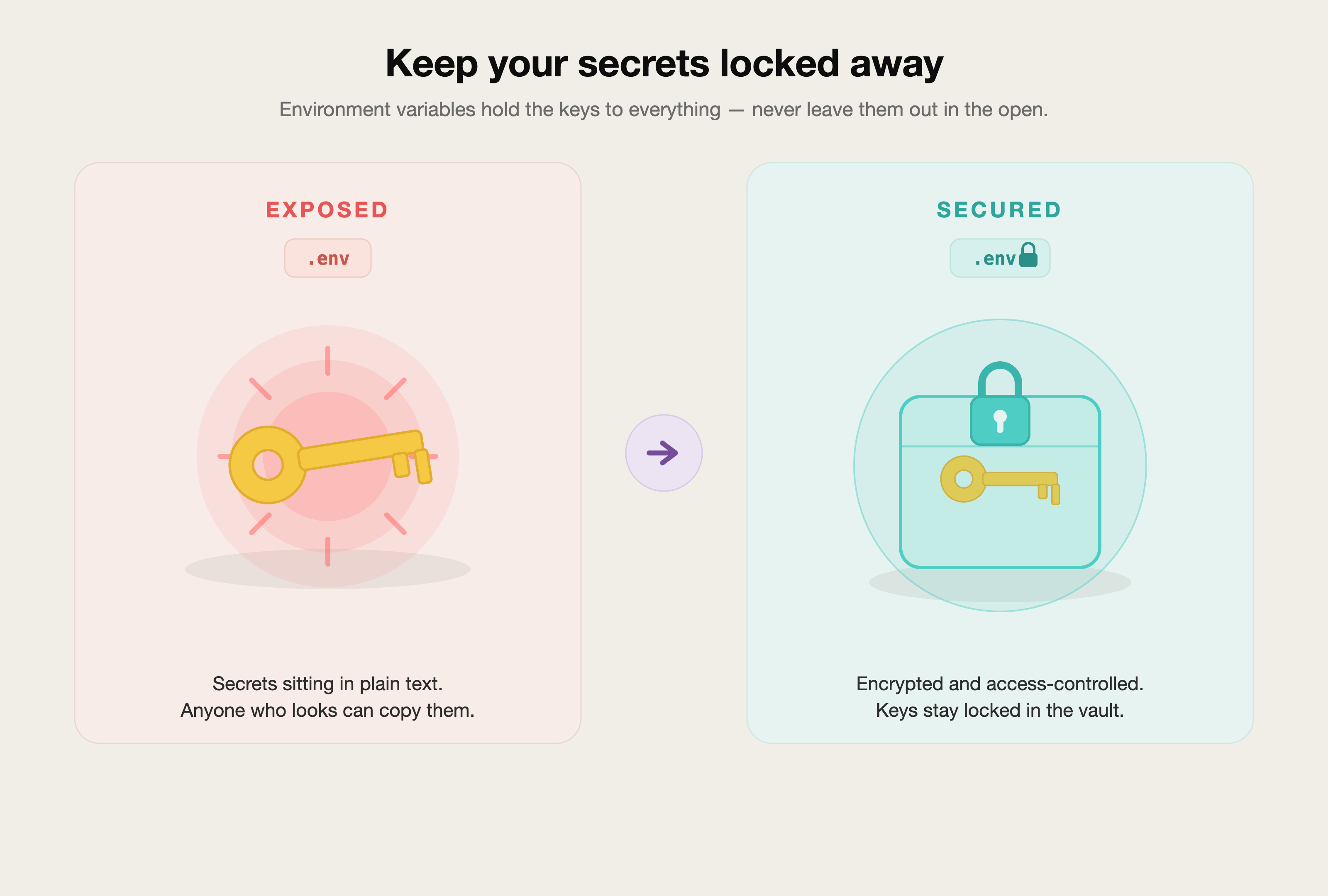
Here’s the rule: secrets live in environment variables, never in the code.(Write it on a sticky note and post it to your computer)
An environment variable is just a labelled box your app reads from at runtime, kept separately from the code itself.
The file that holds them is usually called .env.
Use this prompt to make your AI do it properly:
Audit this entire project for hardcoded secrets.

Find every API key, token, password, database URL, or
credential that appears directly in the code.

For each one:
1. Tell me which file and line it's in.
2. Move it into a .env file as an environment variable.
3. Replace the hardcoded value in the code with a reference
   to that environment variable.
4. Confirm .env is listed in .gitignore so it is never
   uploaded to GitHub.

Pay special attention to anything in front-end / browser code,
and to any variable prefixed with NEXT_PUBLIC_ or VITE_ that
contains a real secret — those are exposed to the browser and
must NOT hold sensitive keys.

Show me a before/after for each change.
One thing this catches that people miss: in a lot of frameworks, any variable starting with NEXT_PUBLIC_ or VITE_ is deliberately shipped to the browser.
If your AI tucked a real secret behind that prefix, it’s not hidden at all.
The prompt above flushes those out.
3. Step two: the setting that sank Moltbook.
This is the one. Write it down.
It’s called Row Level Security, RLS, and it lives in Supabase (and any Postgres database).
Here’s RLS in plain English.
By default, when your AI sets up a database table, it can leave the door set to: anyone with the public key can read and write every row.
That’s fine while you’re the only user.
The second you have real users, it means User A can read User B’s private data.
Or a stranger can read everyone’s.
RLS is the rule that says: you can only see and touch your own rows.
The Moltbook database was left permissive.
The big platform scan found the same thing across hundreds of apps.
It is, by a distance, the most common way vibe-coded apps leak.
Turn it on with this:
I'm using Supabase. I want you to enable and configure
Row Level Security (RLS) for every table that holds user data.

For each table:
1. Turn RLS ON.
2. Write a policy so a logged-in user can only SELECT, INSERT,
   UPDATE, and DELETE their own rows (matched on their user id).
3. Block all access for anyone who is not logged in, unless I
   explicitly tell you a table should be public.
4. List every table, tell me whether it now requires login,
   and flag any table you left public so I can confirm that's
   intentional.

Do not assume any table should be public. Ask me if you're unsure.
After it runs, do the human check: read its list of “tables I left public.”
If your users, profiles, orders, or messages table is on that list, stop and fix it.
Those should never be open. (If you only do one thing from this whole article, do this one.)
4. Step three: stop using the master key.
Supabase gives you two keys.
One is the anon (public) key.
It’s designed to be seen, it’s basically a project name tag.
Safe to use in the browser as long as RLS is on.
The other is the service role key.
This is the master key.
It bypasses RLS entirely and can do anything to your database.
Your AI sometimes grabs the master key because it’s the easy way to make something work.
If that key ever lands in browser code or gets pushed to GitHub, your RLS doesn’t matter, the master key walks straight past it.
Search this entire project for the Supabase service role key
(the secret key that bypasses Row Level Security).

1. Tell me everywhere it appears.
2. Confirm it is ONLY ever used in server-side code, never in
   the browser / front-end, and never committed to the repo.
3. Anywhere the front-end is talking to Supabase, make sure it
   uses the anon/public key instead.
4. If the service role key was ever exposed, tell me clearly so
   I can rotate (regenerate) it immediately.
If it tells you the key was exposed: go to Supabase, regenerate it, and update your .env or Secrets.
A leaked master key is the one thing on this list you have to fix today, not later.
If this is saving you from a 2 a.m. “we got breached” email, send it to one founder who’s about to launch.
5. Step four: scan for leaks with free tools.
You don’t have to trust your own eyeballs.
Free tools do this better.
Three I’d reach for, all free:
gitleaks: scans your project and your history for anything that looks like a secret.
TruffleHog: similar, and good at catching keys buried in old commits.
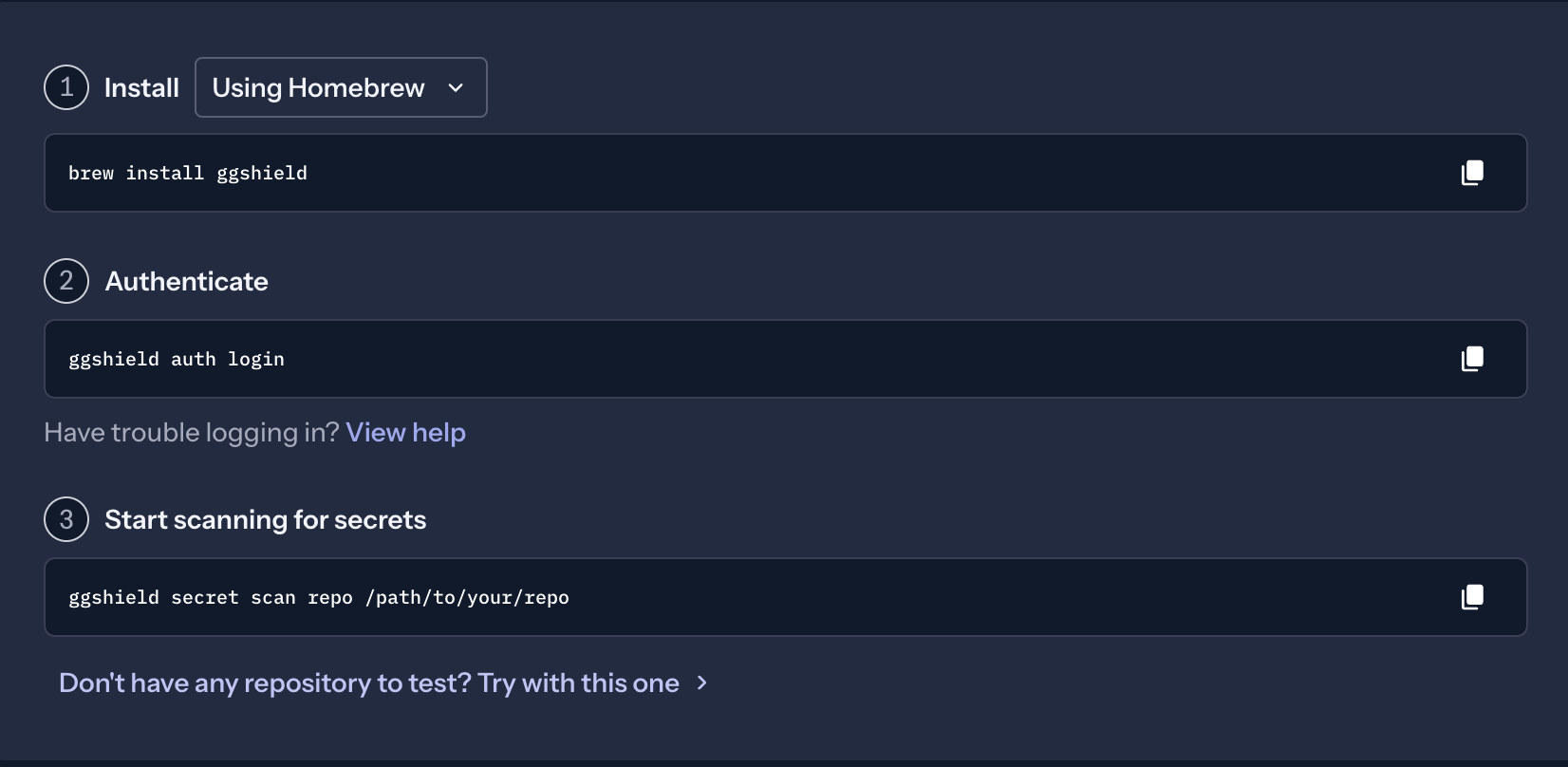
GitGuardian: watches your GitHub repo and emails you the moment a secret slips in.
If the words “command line” make you nervous, you don’t have to run these by hand. Ask your AI to do it:
I want to scan this project for leaked secrets using a free tool.

1. Recommend ONE free secret-scanning tool that fits this project
   (e.g. gitleaks or TruffleHog).
2. Give me the exact commands to install it and run it, written
   for someone who has never used a terminal. Explain each line
   in plain English.
3. After it runs, help me read the results: which findings are
   real secrets I must rotate, and which are false alarms.
4. Set it up as a pre-commit hook so it checks automatically every
   time I save changes — so a secret can never sneak into GitHub
   again.
The pre-commit hook is the quiet hero here.
It means the tool runs before anything gets uploaded.
A leaked key that never reaches GitHub is a leak that never happened
Quick GitGuardian setup:
6. Step five: make the AI grade its own homework.
Here’s a move that costs nothing and catches a surprising amount.
After your app is built, make the same AI that built it switch hats and review its own work as a paranoid security engineer.
You are now a senior security engineer reviewing this codebase
before it goes live. Be skeptical. Assume nothing is safe.

Find and list:
1. Injection risks (SQL, command, cross-site scripting)
2. Authentication or authorization gaps (can a user reach data
   that isn't theirs?)
3. Sensitive data exposed in responses or in the browser
4. Insecure default settings
5. Missing input validation
6. Any hardcoded secrets or credentials

For each issue: rate severity (high / medium / low), explain it
in one plain sentence, and give me the exact fix.

Then do a second pass: re-read your own findings and tell me
what you missed the first time.
That last line, the second pass, matters.
Models catch more when you ask them to critique their first answer.
It’s free.
Use it every time.
This won’t replace a real audit if you’re handling money or medical data.
But for a normal MVP going live, it clears out the obvious landmines.
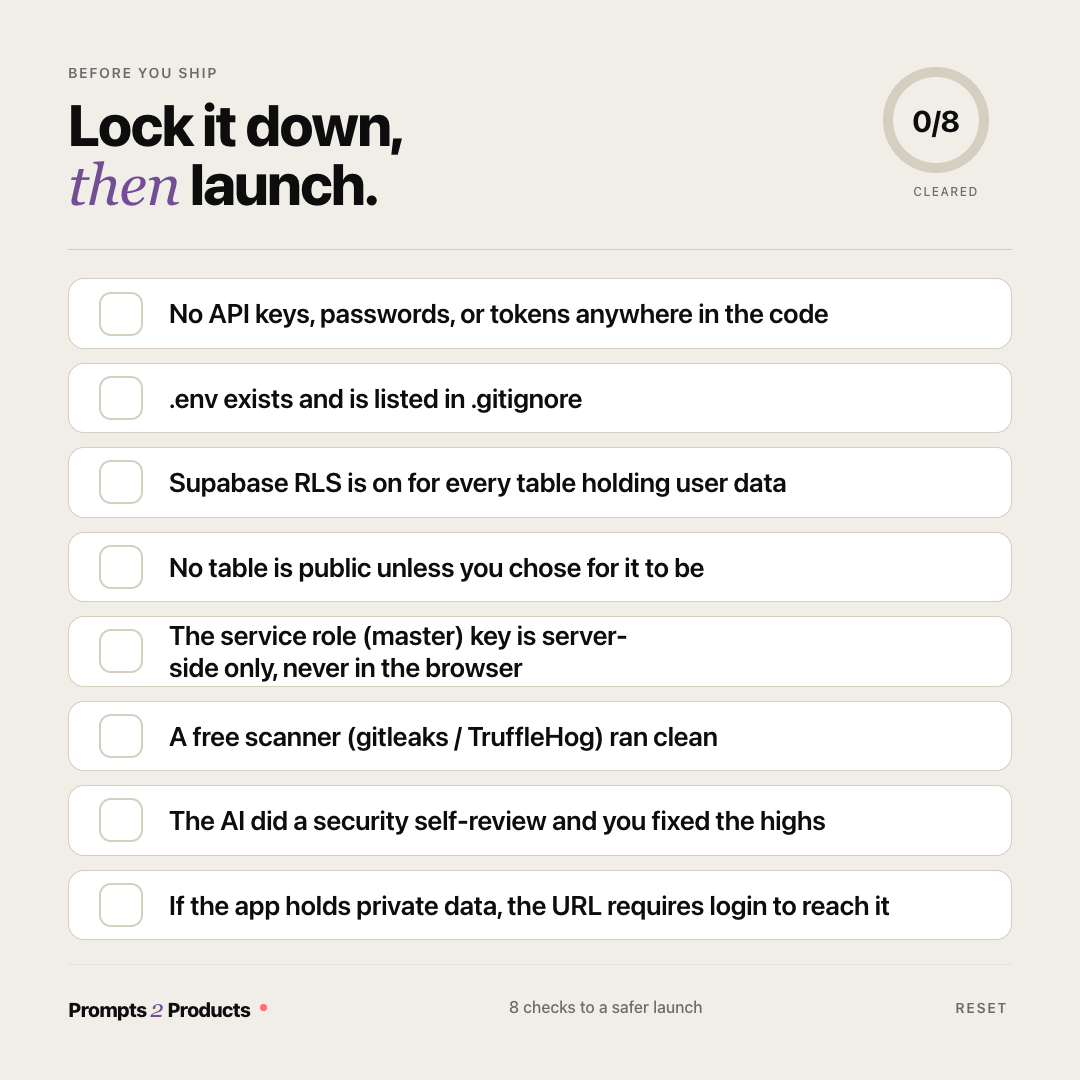
7. The pre-launch checklist (screenshot this).
Before any vibe-coded app touches a public URL, walk this list:
[ ] No API keys, passwords, or tokens anywhere in the code
[ ]
.envfile exists and is listed in.gitignore[ ] Supabase RLS is ON for every table with user data
[ ] No table is public unless you chose for it to be
[ ] The service role (master) key is server-side only, never in the browser
[ ] A free scanner (gitleaks / TruffleHog) ran clean
[ ] The AI did a security self-review and you fixed the highs
[ ] If the app holds private data, the URL requires login to reach it
Eight checkboxes. Maybe fifteen minutes with the prompts above.
That’s the entire gap between you and a Moltbook headline.
8. Now you own this.
Run this every single time, before every launch. It becomes muscle memory.
The loop is always the same: pull secrets out, turn RLS on, lock the master key, scan, self-review, check the list.
Old way: build fast, ship, pray, find out you leaked when a stranger emails you.
This way: build fast, and spend fifteen minutes proving it’s not wide open.
Same speed. Wildly different outcome.
You don’t need to become a security engineer.
You just need to stop being the person who left the door open.
Two ways to take this further, depending on what you need.
If you want to build this the right way alongside other non-technical founders going through the same launches, the community is where we run these checks together every week.
→ Join Prompts2Products: the community ($29.99/month)
If you’d rather have a team handle the build and the security review for you, my agency Arehsoft does exactly this.
→ Schedule a free consultation call
Both paths work.
Different timelines, different involvement.
I don’t share things I haven’t run myself.
This next one is the prompt I keep pinned and paste before every launch, the whole review in one shot:
Run a full pre-launch security review on this project. Go in
this order and report on each:

1. SECRETS — find any hardcoded keys/tokens/passwords, move them
   to .env, confirm .env is gitignored, flag any secret exposed
   to the browser (NEXT_PUBLIC_ / VITE_).
2. DATABASE — confirm Supabase RLS is ON for every user-data
   table, each user can only access their own rows, and list any
   public table for me to confirm.
3. MASTER KEY — confirm the Supabase service role key is server-
   side only and was never committed; if exposed, tell me to rotate.
4. SCAN — recommend and run one free secret scanner; help me read
   results.
5. SELF-REVIEW — review the code as a paranoid security engineer,
   rate issues by severity, give fixes, then do a second pass.

Finish with a single GO / NO-GO verdict for launch, and the exact
list of things I must fix before NO-GO becomes GO.
I’m not here to scare you out of building.
I share what I actually do, what I actually test, and what actually works for founders who don’t write code.
People read this because someone they trusted sent it to them.
If this one saved you a headache, be that person for someone else.
If someone sent you this, you can subscribe here: