

Every time you open a blank chat, Claude meets you as a stranger.
You explain who you are.
You explain how you write.
You paste the same three things you pasted yesterday.
Today we end that, with one folder and four folders inside it.
If this is your kind of thing, hit subscribe. It is free.
It goes like this:
Make one folder called
cowork, with four inside it (this takes ninety seconds)Fill
about-me/first, with three prompts that interview youDrop one thing into
reference/Build one
template/for something you write every weekWrite your standing orders once, so you stop repeating yourself
Connect the folder and hand Claude a real job
Pick how closely it checks with you before it acts
Make it a project, so it remembers
Type
/scheduleand stop doing the job by hand
I’ll show you every step, with screenshots.
But first, here’s what it looks like once it works:
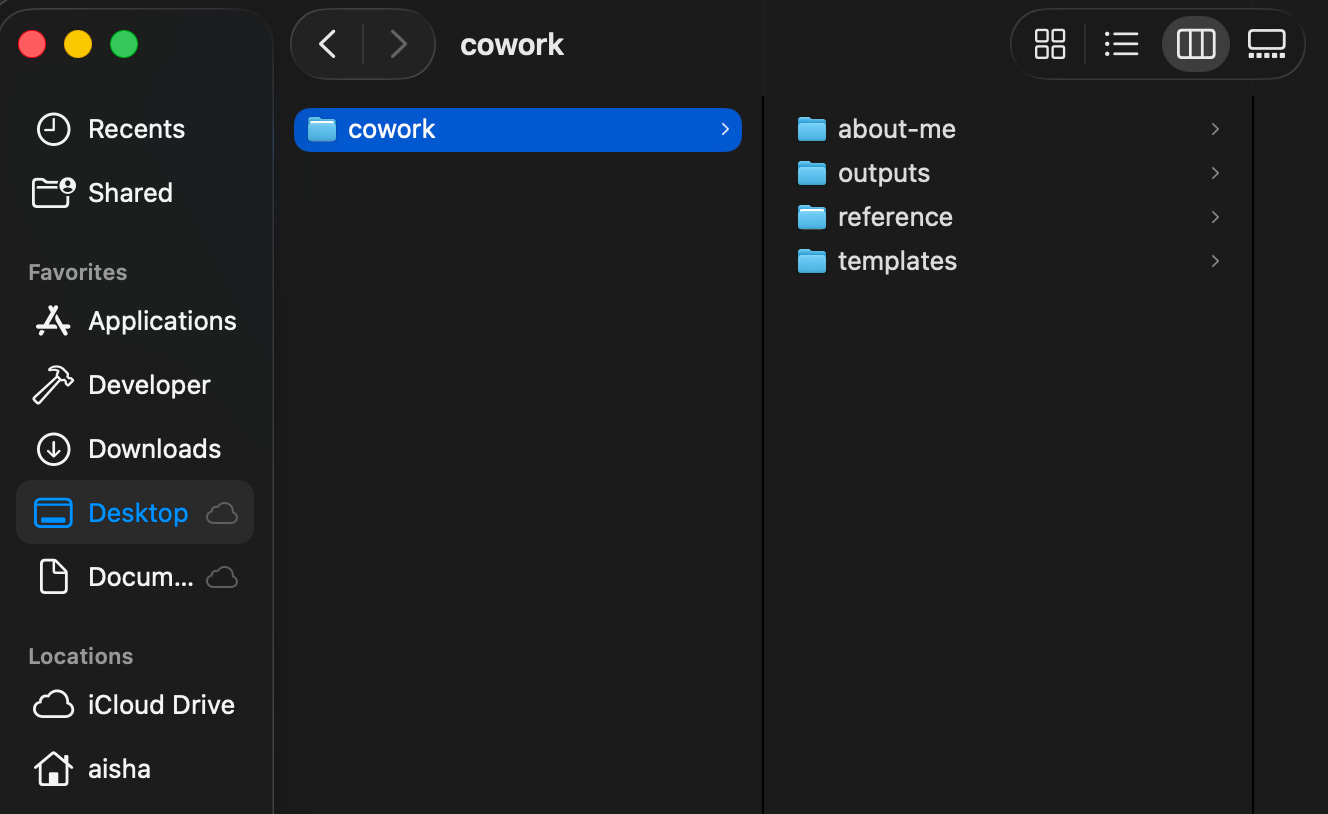
Two things before we start:
Save this. Ten minutes today, then four minutes a week forever.
Send it to one founder who retypes their bio into Claude every single week.
Sharing is free, and it’s how this newsletter grows.
The Saturday that changed how I work.
Wise froze my account with $14,000 sitting inside it.
I sent them everything I could think of. They kept saying no.
What they actually wanted was years of proof I had never put together.
Five years of bank statements, all over the place. Invoices with numbers that did not match. Four years of taxes I was behind on.
I looked at that pile and had no idea where to start.
So on a Saturday I sat down and handed the whole mess to Claude.
I uploaded my raw statements and let it read and sort them. I did not type a single number in by hand.
It pulled five years into a clean summary.
Then it rebuilt my invoices so the numbers finally lined up.
Then it got my records clean enough that I could file four years of back taxes.
Four hours. That was it.
By hand that was days of work. Probably a full week, if I even got through it.
I sent Wise the clean proof and got my account back.
Most people are still typing one question into Claude and closing the tab.
The real shift is when you stop asking it things and start handing it the job.
That Saturday I got lucky, because I happened to explain everything properly on the way in.
What I wanted next was for it to already know all that, every time, without me typing it again.
So I built a folder structure to fix it, and I now teach it in my Master Claude workshop. This article is that structure, start to finish.
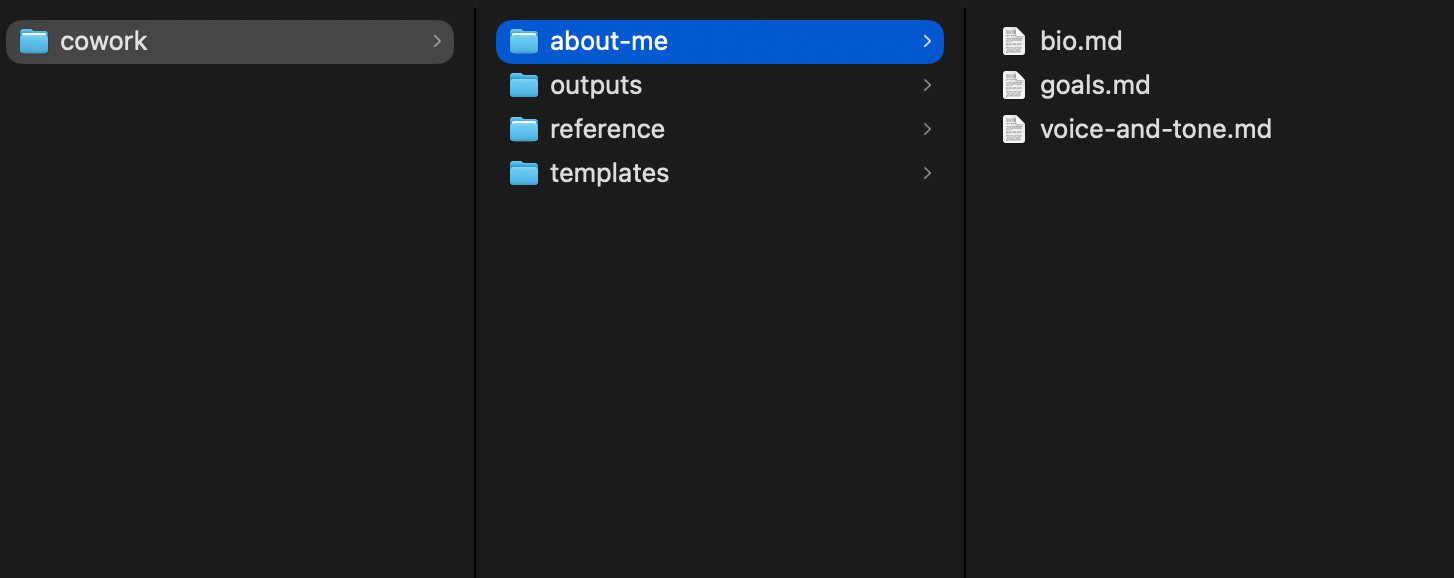
My honest claim, up front.
This will not make Claude smarter.
It will make Claude stop guessing at you, which is a different thing and worth more than it sounds.
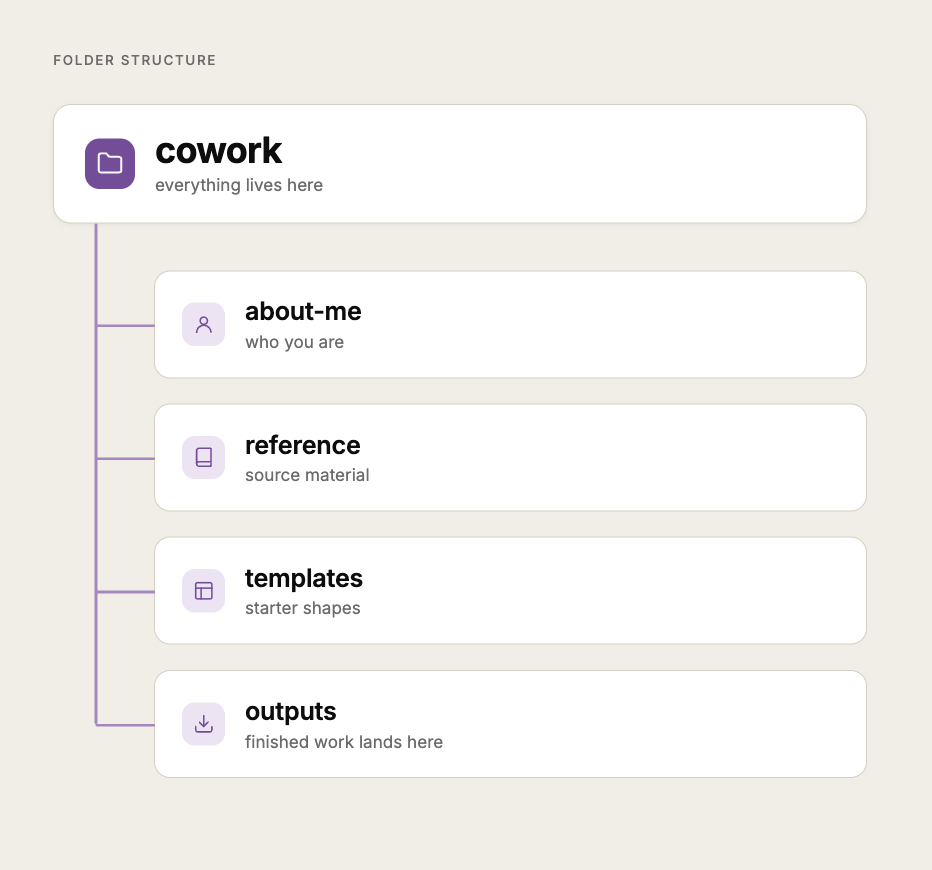
1. Make the folders. Ninety seconds.
Do not open Claude yet. Open Finder.
Step 1: Go to your Desktop.
Step 2: Right click, then New Folder. Call it cowork. Lowercase, no spaces.
Step 3: Open it and make four folders inside, named exactly:
about-me: who you are, so Claude gets youreference: source material Claude can pull fromtemplates: starter shapes Claude fills inoutputs: where finished work lands
Step 4: Stop. Do not add a fifth.
(Every extra folder is a decision you will have to make again later. Four is enough for a year.)
Here is why this shape and not your existing mess.
You are about to give an agent write access, and the folder you connect is the entire world it can see.
A small tidy world is a safe world.
So never put these in cowork: bank statements, passwords, signed contracts, anything with a client’s private data.
If a task genuinely needs one of those, copy the single file in, do the task, then take it out again.
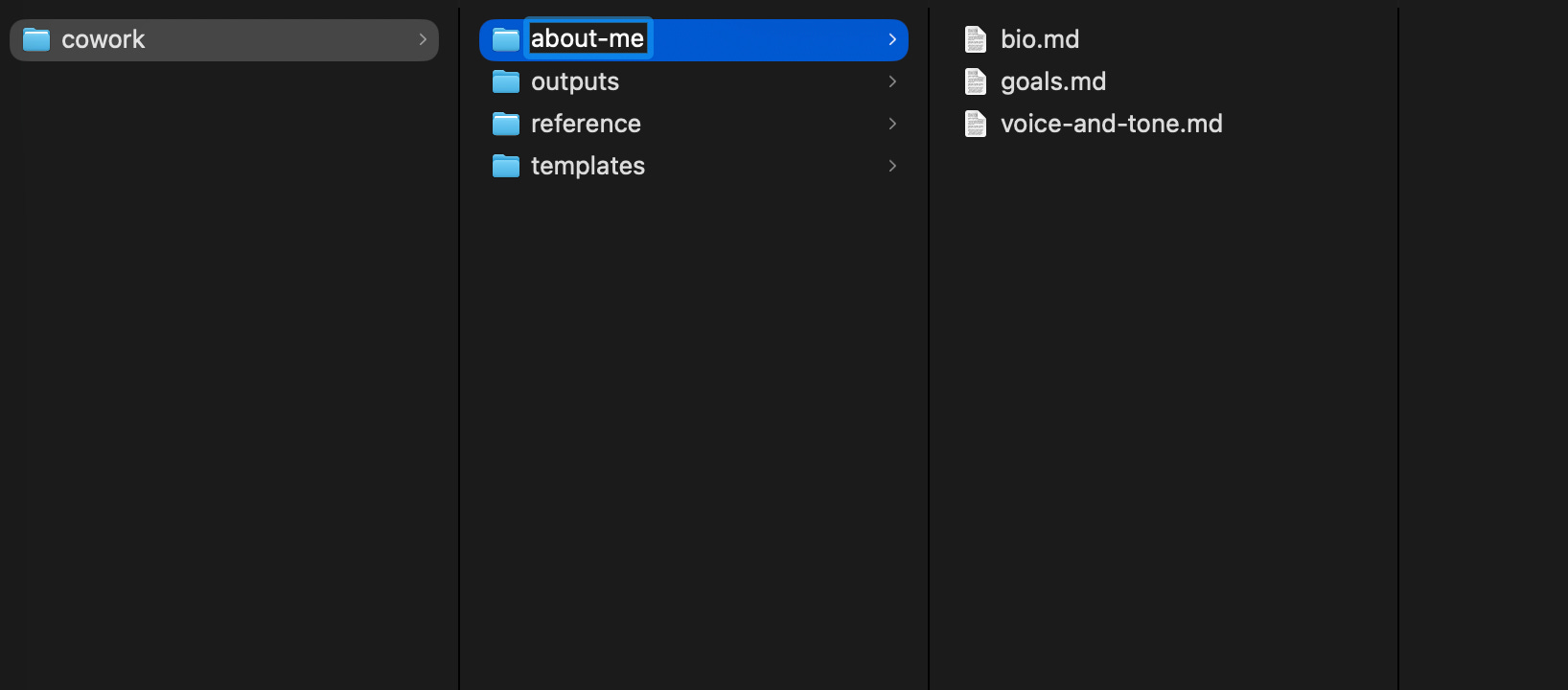
2. Fill about-me/ first. Three files, three prompts.
This is the folder that pays off fastest, so it goes first.
Each prompt below interviews you, one question at a time, then writes the file. You save the file into about-me/.
You are not writing these yourself. You are being asked good questions and answering them.
bio.md, who you actually are
Open a normal Claude chat and paste this:
I want you to help me write my bio.md file for my cowork folder. This file will help you understand exactly who I am, so every time we work together you already have the context.

Interview me by asking me 6 to 8 short, specific questions, one at a time. After each answer, ask one quick follow-up if you need clarity, then move to the next question.

Cover:
- What I do (role, company, what I actually spend my time on)
- The businesses or projects I run on the side
- The people who matter in my day-to-day (co-founder, family, team)
- Where I am based
- What I am known for or want to be known for
- Anything else that would help you understand me

When you have enough, write my bio.md as clean markdown I can save directly. Keep it in first person, keep it real, and do not make me sound like a LinkedIn profile.

Start with question one.
Answer honestly, including the unflattering bits. Then save what it writes as bio.md in about-me/.
(That last line about the LinkedIn profile is doing more work than it looks like. Without it you get “passionate about leveraging innovation” and you will hate it.)
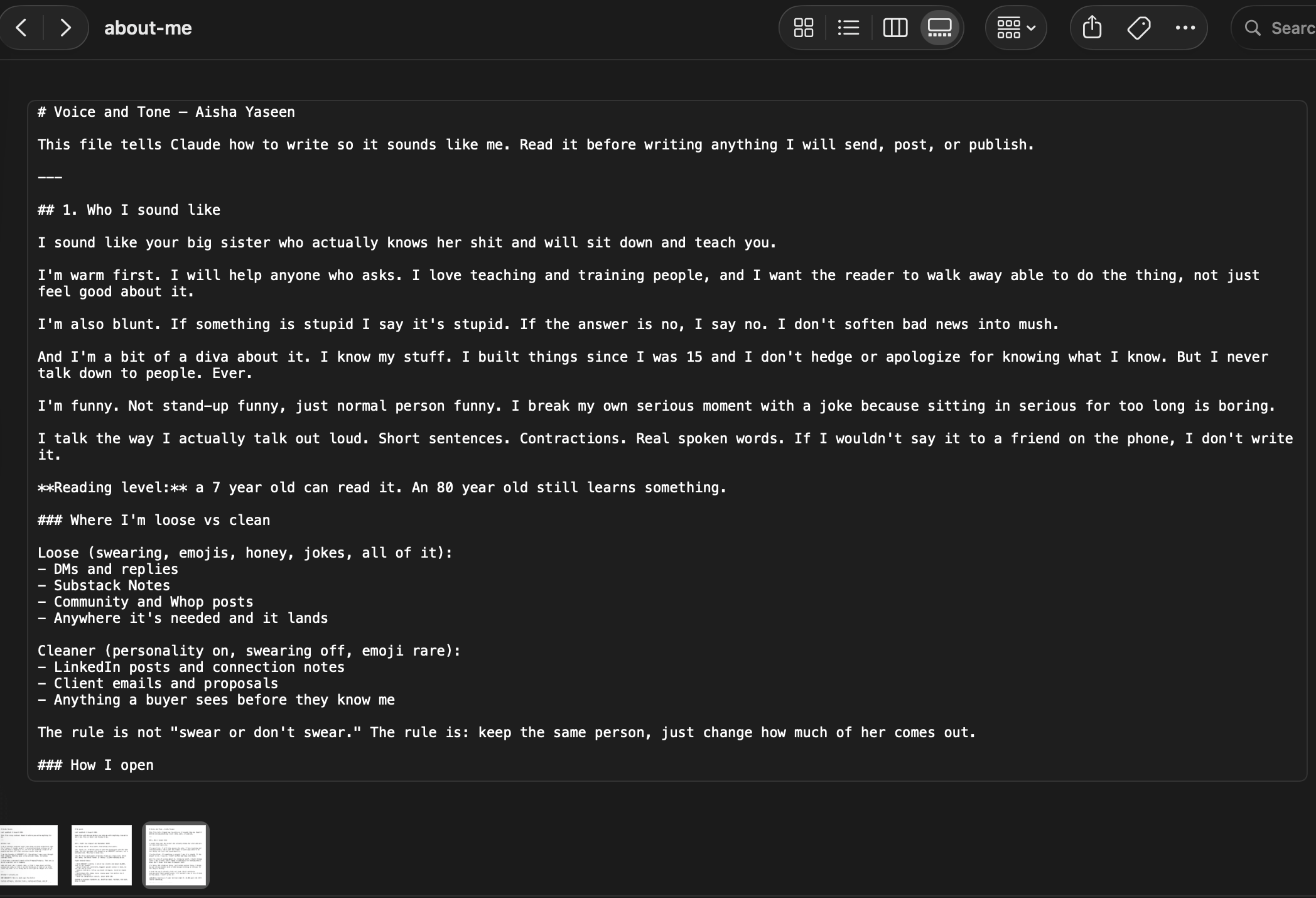
voice-and-tone.md, how you sound
This is the file that matters most, and the one people skip.
I want you to help me write my voice-and-tone.md file for my cowork folder. This file will make sure every time you write something for me, it actually sounds like me.

I am going to paste 2 to 3 samples of my writing at the end of this prompt. Read them carefully.

Then interview me by asking me 5 to 7 short questions, one at a time. Cover:
- What tone I use (cheeky, warm, blunt, playful, direct. Describe it in my own words)
- Words and phrases I use often
- Words and phrases I would NEVER use
- How I open something I write
- How I close
- Anything that makes my writing sound unmistakably like me

When you have enough, write my voice-and-tone.md as clean markdown. Include:
1. A short voice profile in my own words
2. A list of 10 phrases I use naturally
3. A list of 10 "banned phrases" that would immediately break the voice
4. One sample paragraph you write in my voice, to prove you got it

Here are my writing samples:

[PASTE 2 TO 3 OF YOUR WRITING SAMPLES HERE, SEPARATED BY --- BETWEEN EACH ONE]
Use your best writing as the samples. Not your most recent. Not your most professional. The ones that sound most like you talking.
The banned-phrases list is the secret weapon. Mine has “leverage”, “unlock”, “game-changer” and “seamless” on it, and the difference is immediate.
goals.md, what you are actually working toward
I want you to help me write my goals.md file for my cowork folder. This file will make sure every time you help me on something, you know what I am actually working toward.

Interview me by asking me 5 to 7 short, specific questions, one at a time.

Cover:
- What I am working on right NOW (this month, this quarter)
- The bigger goals I am moving toward this year
- What "winning" would look like for me by the end of the year
- What is in my way, honestly
- What kind of help I want from you when I ask for it

When you have enough, write my goals.md as clean markdown, in first person, split into three sections:
1. Right now (this month or quarter)
2. This year
3. How I want you to help me get there

Keep it short and honest, not aspirational fluff. This is a working file.

Start with question one.
Three files. Maybe twenty minutes of answering questions.
You will never type your bio into a chat box again.
Doing this today? Send it to one person who would use it too.
3. Put one thing in reference/.
You do not have to fill this folder today.