
Brains.
The 4 AI brains everyone’s arguing about in 2026 - explained like you’re 7.

A friend texted me last week.
“Aisha, everyone keeps saying Claude, Gemini, GPT, Grok. I just want to know which one to use. Pick one for me.”
She’s smart. Runs a real business. Not technical.
And she’s not alone - this is the question I get more than any other.
So here’s the whole thing, explained the way I’d explain it to a 7-year-old.
Because honestly?
That’s the version everyone actually needs.
No benchmarks you don’t care about.
No jargon.
Just: what these things are, why there are four of them, and how to pick.
1. A “model” is just a brain you can rent.
Imagine you could hire a really fast, really well-read assistant.
They’ve read almost everything. They never sleep. They answer in seconds.
But they only live inside your computer or phone.
That’s a model.
That’s the whole secret.
When people say “Claude” or “ChatGPT,” they’re naming the brain.
The chat window you type into is just the door you walk through to talk to it.
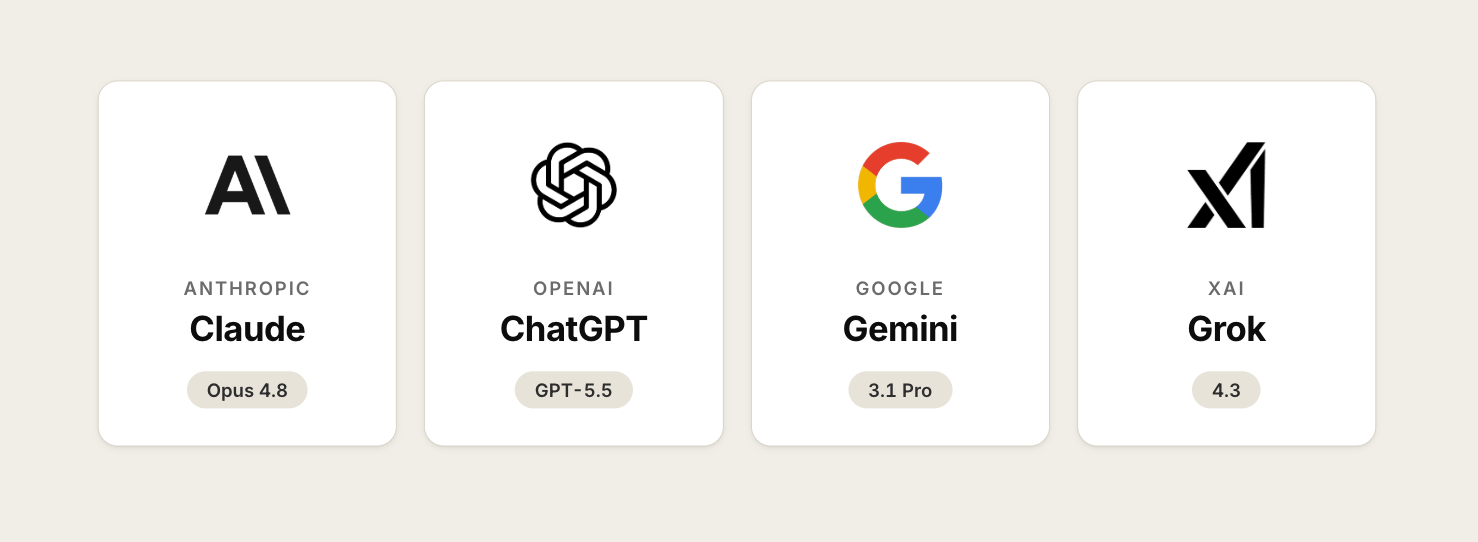
Four companies built the four most famous brains:
Anthropic built Claude.
OpenAI built ChatGPT (the brain inside it is called GPT).
Google built Gemini.
Elon Musk’s company xAI built Grok.
Same idea. Four different brains.
Each one has a slightly different personality.
And that’s the part nobody explains.
2. Why do they all have weird numbers after them?
You’ve seen it.
→ Claude Opus 4.8.
→ GPT-5.5.
→ Gemini 3.1.
→ Grok 4.3.
Here’s the kid version.
It’s like phones.
The iPhone 15 came after the iPhone 14.
Bigger number, newer phone, usually a little smarter.
Models are the same.
The number tells you how new the brain is.
Higher number = more recent = usually better.
As of right now (June 2026), the newest big brains are OpenAI’s GPT-5.5, xAI’s Grok 4.3, Google’s Gemini 3.1 Pro, and Anthropic’s Claude Opus 4.8.
And sometimes a brain comes in sizes too.
Think small, medium, large, like coffee.
A big brain (Claude Opus, Gemini Pro) thinks harder, costs more, takes a little longer.
A small brain (Claude Haiku, Gemini Flash) is faster and cheaper, perfect for simple stuff.
You don’t always need the large coffee.
Sometimes the small one does the job for a fraction of the price.
3. So which brain is “the best”?
Wrong question. (Sorry.)
It’s like asking “what’s the best vehicle?”
A motorcycle and a moving truck are both great, for completely different jobs.
But people want a straight answer, so here’s the honest one for mid-2026.
If you scored these brains on an overall “smartness” test, they finish close together, in this order: Claude Opus 4.8 leads, just ahead of GPT-5.5, then Gemini 3.1 Pro, then Grok 4.3.
But “close together” is the important part.
They’re all genuinely good now.
What actually matters is what each one is best at:
Claude Opus 4.8 is the best for coding and long, multi-step tasks.
It also holds its focus across a long conversation without losing the thread.GPT-5.5 is the best for everyday chat, knowledge work, and creative writing.
Gemini 3.1 Pro is the best for hard reasoning and digging through data, and it’s wired into Google stuff you already use.
Grok 4.3 is the cheapest of the four and the best for real-time,
what’s-happening-right-now questions from X and the web.
So the answer to “which is best” is: best at what?
Pick the brain that’s good at the thing you’re doing today.
Seven years building, and this still trips up smart people.
It’s not about loyalty to one brand. It’s about the job.
4. The dead-simple way to pick (steal this).
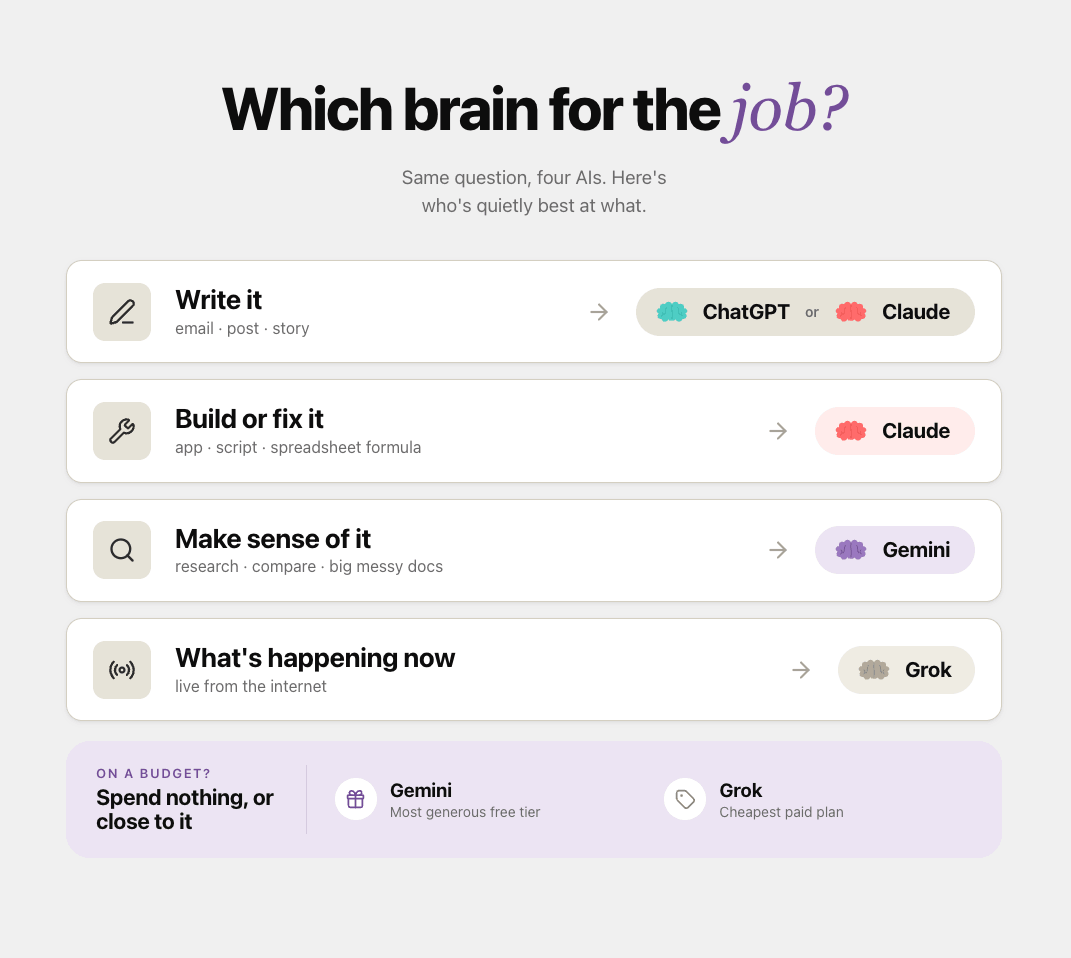
Here’s the cheat sheet I actually give people.
Writing an email, a post, a story? → ChatGPT or Claude.
Building or fixing something: an app, a script, a spreadsheet formula? → Claude.
Researching, comparing, making sense of a big messy document or dataset? → Gemini.
Want to know what’s happening right now on the internet? → Grok.
Want it free and you’re on a budget? → Gemini’s free tier is the most generous, and Grok is the cheapest paid one.
That’s it. Print it. Tape it to your monitor.
And if you only ever remember one line: the brain you already pay for is usually good enough.
Most people switch tools way more than they need to.
Here’s a starter prompt that works in any of them, copy it, paste it, see how each brain handles it:
You are my thinking partner for the next 10 minutes.

Here is what I'm working on:
[describe your task in 2-3 plain sentences]

Before you give me anything, ask me 3 short questions
that would help you give a better answer.

Then wait for my answers.

Keep your language simple. No jargon.
If you use a technical word, explain it in one line.
Run that exact prompt in two different brains this week.
You’ll feel the personality difference immediately.
That’s the fastest way to find your favorite.
If this made AI feel less scary, send it to one person who keeps saying “I just don’t get all this AI stuff.”
5. Wait… are these free or do I have to pay?
Both. And this is where a lot of money gets wasted.
Every one of these brains has a free version you can use right now without typing in a card.
Claude is free. ChatGPT is free. Gemini is free. Grok has a free tier too.
The free version usually gives you a slightly smaller brain and a daily limit on how much you can ask.
For most people, most days, that’s genuinely fine.
Then there’s the paid version, around $20 a month for each of the big ones.
What you’re really buying is the bigger brain, more daily usage, and the fancier features.
Here’s my honest advice: start free.
Use it for a couple of weeks.
Only pay when you hit the free limit so often that it’s actually slowing you down.
Don’t pay $20 a month for a brain you use twice a week.
And definitely don’t pay for three of them “just in case.”
Pick one, learn it well, upgrade only when it earns it.
The cheapest setup that does your job is almost always the right one.
6. Okay, but I want to actually USE one well.
This is where most people get stuck.
They pick a brain.
They type a question.
They get an okay answer.
They shrug.
They go back to doing it themselves.
That’s like buying a car and only ever using it to sit in the driveway.
The difference between “okay answer” and “this saved me three hours” isn’t the brain.
It’s knowing how to drive it.
That means a few specific skills: setting it up so it already knows your work, giving it real instructions instead of one-line questions, and… once you’re ready, connecting it to your actual tools so it can do things, not just talk.
I’m not going to fake-teach that in three paragraphs.
It deserves hands-on time.
So here’s the next step.
I’m co-hosting a live Claude workshop with SheAI on June 22 and 23.
Two 90-minute live online sessions to go from casual user to a real, repeatable workflow.
Why Claude for the workshop?
Because it’s the brain I lean on most for building, and it’s one of the few models purpose-built for agents, Claude Code and connecting to your real tools through MCP.
But the judgment you’ll leave with, how to drive a model, works no matter which brain you end up choosing.
Here’s the shape of it:
Day 1 is beginner-friendly and works with a free Claude account, Artifacts, Projects, and prompting that actually gets usable output.
Day 2 goes deeper into Claude Code, connected tools, and building little agent teams. (It requires Claude Pro.)
You can take one day or both, and everyone gets the recordings, a Master Claude ebook, community access, and a UN AI for Good certificate of completion.
One real detail, not hype: the early-bird price (Day 1 is €35, Day 2 is €45, both days €75) is only good through June 10.
After that it goes up.
So if you’ve been meaning to actually learn this, this week is the cheaper week.
Save 10% on your seat with promo code: AISHA
7. Now you can hold your own at dinner.
Let’s recap the whole thing:
A “model” is a rented brain that lives in your computer.
Four famous brains: Claude, ChatGPT, Gemini, Grok.
The numbers mean “how new”, bigger is usually smarter.
Sizes (Opus/Pro = big, Haiku/Flash = small) are like coffee cups.
There’s no single “best.” There’s “best at the job in front of you.”
That’s more than most people on the internet actually understand about AI in 2026.
You’re not behind.
You just needed someone to explain it without the jargon.
Two ways to go further, depending on what you need.
If you want to actually learn to drive one of these brains, hands-on, live, this month, the SheAI Claude workshop on June 22–23 is exactly that.
Save 10% on your seat with promo code: AISHA
And if you want to keep building alongside other non-technical founders every week, the community is where that happens.
→ Join Prompts2Products: the community ($29.99/month)
No pressure on either. Just two doors, in case you want one.
Seven years in, here’s a little starter I wish someone had handed me on day one, a “which brain should I use?” prompt you can run on yourself whenever you’re stuck choosing:
I'm trying to decide which AI model to use for a task.

Here's the task:
[paste your task]

Ask me these about it, one at a time:
1. Is this mostly writing, building, researching, or real-time info?
2. Do I need it to be free, or is paying fine?
3. How long/complex is this — one answer, or many steps?

Based on my answers, recommend ONE model (Claude, ChatGPT,
Gemini, or Grok), tell me which size to use (big or small/cheap),
and explain why in two plain sentences. No jargon.
I’m not here to sell you on one AI company.
I share what I actually use, what I actually test, and what actually works for people who don’t write code.
People read this because someone they trusted sent it to them.
If this one helped you, be that person for someone else.
If someone sent you this, you can subscribe here: